WORKFLOW FOR TEAMS
Faxing for insurance documents
Route faxing for insurance documents to the right people, then check delivery and follow-up in one account.
- Typical sender
- Policyholder or provider
- Receiving party
- Claims intake
- Review owner
- Assigned adjuster
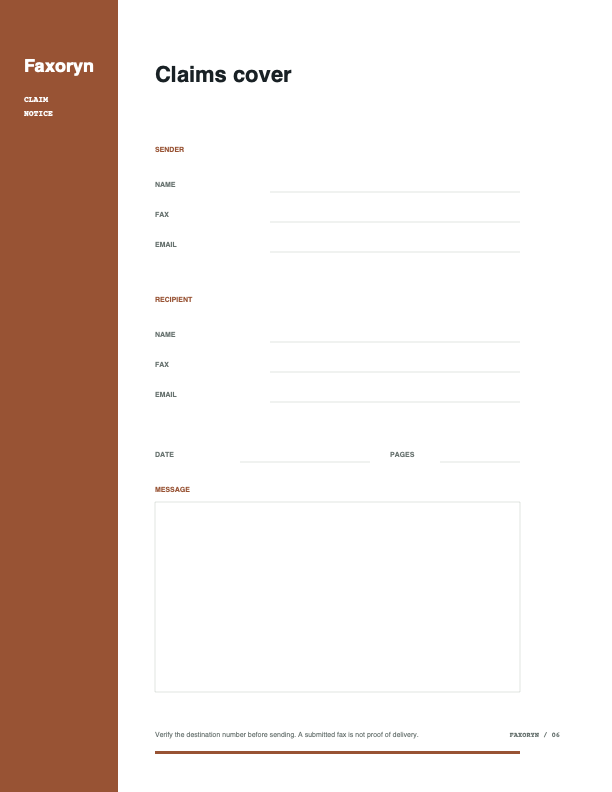 SAMPLE DATA
Claim evidence packet
- Primary risk
- Claim reference, completeness, and private information
- Completion evidence
- Readable evidence, assigned claim, and delivery record
TYPICAL WORK
Start with the record, not the sector label.
HOW THE WORK FLOWS
Give the document a responsible path.
- SENDERPolicyholder or provider
Prepares the approved document and complete destination.
- RECIPIENTClaims intake
Receives the fax through the intended route.
- OWNERAssigned adjuster
Reviews the result and owns the next action or the follow-up when something fails.
- EVIDENCEReadable evidence, assigned claim, and delivery record
Closes the task without treating the send itself as delivery.
WHAT TO CHECK
The page describes an example workflow, not regulatory approval.
WHAT TO CHECKHOW TO CONFIRM IT
Claim reference, completeness, and private informationReadable evidence, assigned claim, and delivery record
Fit for your live use and obligationsCurrent contracts, settings, policy, and legal review
OPERATING CONTEXT
Where fax enters insurance work
Insurance teams often exchange claims, evidence, authorizations, policy records, adjuster correspondence, and provider forms. Each document must be identified, assigned, reviewed, and retained before the next business step can happen.
Faxoryn keeps the destination, document, owner, timestamps, and delivery outcome together so the team can see what happened without relying on a machine tray or forwarded email thread.
This page covers insurance. Check the relevant account setting or fax record before you continue.
- Route incoming work to a clear owner or shared operating list.
- Keep a reviewable record of outgoing documents and their final state.
- Use contacts, labels, and number assignments consistently across the team.
SYSTEM CONNECTIONS
Connect fax to the tools used by insurance teams
A practical implementation may connect claims systems, agent inboxes, shared work lists, and status notifications. The connection should reduce repeated entry while preserving destination review and a single final delivery state.
Test permissions, supported documents, notifications, expired authorization, and carrier downtime before relying on a connected path for time-sensitive work.
CONTROL POINTS
Design the insurance workflow around responsibility
Decide who can access each number, who follows up on a failed or unread fax, and how long documents and delivery records must remain available.
Regulatory obligations depend on the organization, region, data, vendors, and configuration. A cloud fax product does not make a workflow compliant by itself.
- 01List active fax numbers, document types, and recipient groups.
- 02Assign each intake and sending workflow to an accountable team.
- 03Define notification, exception, escalation, and retention rules.
- 04Send sample documents end to end before replacing an established route.
MEASUREMENT
Review exceptions, not only successful volume
For insurance operations, review claim matching, assigned adjusters, missing pages, delivery deadlines, and sensitive evidence. Failed delivery, unread intake, duplicate handling, and unclear ownership often create more risk than ordinary successful faxes.
INBOUND PLAYBOOK
Turn incoming insurance documents into assigned work
Receiving claims, evidence, authorizations, policy records, adjuster correspondence, and provider forms is only the start of the process. Match the document to the correct person, case, account, property, claim, order, or program before it enters downstream work.
Assign each active fax number and notification path to a named owner or governed work list. Define how unread items are escalated, how an incorrect destination is handled, and how sensitive attachments move into the approved record system.
- 01Receive the document on an active assigned number.
- 02Verify its identity, expected pages, and intended workflow.
- 03Assign the next action without forwarding uncontrolled copies.
- 04Retain the fax state and business-system reference for follow-up.
OUTBOUND PLAYBOOK
Make outgoing insurance delivery reviewable
Before sending claims, evidence, authorizations, policy records, adjuster correspondence, and provider forms, confirm the approved version, complete destination, page order, cover context, and person authorized to release it. Use saved contacts or groups only after the final destination remains visible to the operator.
Treat accepted, sending, delivered, and failed as different states. Keep the source business reference with the Faxoryn record number, and define when a failure may be retried, when the recipient must be contacted, and when an incident requires escalation.
ROLL-OUT CHECK
Prove the insurance workflow with real operating cases
Send common documents and the difficult cases named for this sector: claim matching, assigned adjusters, missing pages, delivery deadlines, and sensitive evidence. Try both ordinary delivery and the conditions that require a person to intervene.
Approve number ownership, member access, notification destinations, connected-system permissions, retention, support, monitoring, and rollback before replacing an established fax route.
COMMON QUESTIONS
Details to check before you continue.
Does this page certify Faxoryn for my industry?
No. This page describes how teams in your industry typically use fax. Compliance depends on your jurisdiction, contracts, and how your team actually works.
What should I do before relying on this workflow?
Send one sample document from start to finish, decide who follows up, and check the final delivered or failed state before making it part of your regular process.
Where do I confirm the result?
Check the Faxoryn record: destination, timestamps, final state, and the person responsible for the next step.
Who should own the follow-up after a send?
Assign one person to check the final delivered or failed state and to own the next step when a document does not arrive as expected.
TALK THROUGH THE WORKFLOW
Find the right starting point for your team.
Share only the context needed for a useful first conversation. You can start with a browser workspace without waiting for a sales call.
- Use case and expected monthly volume
- Team size and destination country
- Preferred follow-up channel