OUTBOUND WORKFLOW
Send the record with the context the recipient needs.
Prepare the document, check the destination, give the recipient routing context, and retain the final delivery result for the next decision.
Document ownerApproverFax recipient
THE FLOW
A clear sequence your team can follow.
- 01 / Document ownerPrepare
Add supported documents and arrange the pages in the intended order.
- 02 / Document ownerAdd context
Use a cover or note when the recipient needs ownership or handling details.
- 03 / ApproverConfirm
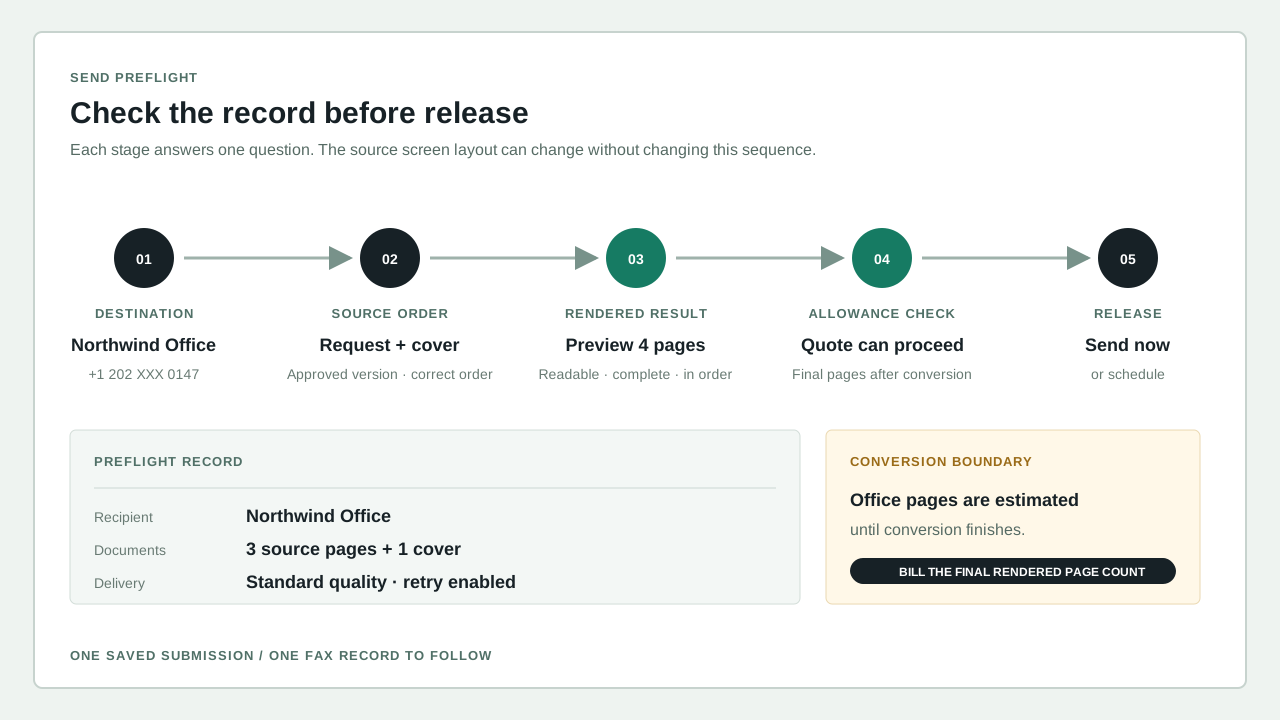
Review the fax destination, page count, and sending number.
- 04 / Fax recipientRecord
Retain the final state with the document for follow-up.
WHAT MAKES IT WORK
The Faxoryn tools behind this workflow.
The sender can show what was prepared, where it went, and what happened after release.
START WITH ONE REAL TASK
Run it once with a real document.
Send a sample document end to end, check what the recipient gets, and know in advance who follows up if something does not arrive.
- Use one real document and check the pages before sending.
- Agree on who checks the destination and who handles a failed send.
- Keep the delivery record with any approval or follow-up that depends on it.
START WITH YOUR TEAM